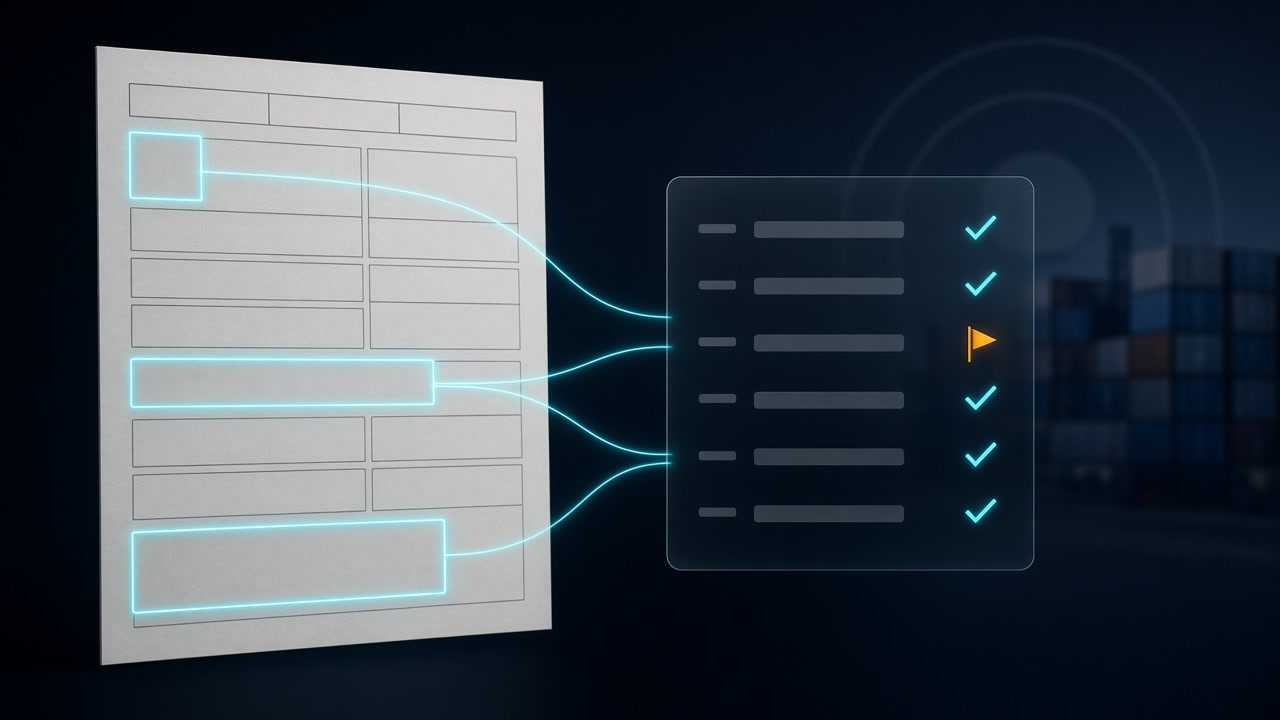
OCR for Customs Declarations: Read Entry Summaries into Audit-Ready Data
If you searched for OCR for customs declarations, you probably have a folder of entry summaries, export declarations, or clearance printouts that someone needs to check against invoices, bills of lading, and the duty that was actually paid. Short answer: OCR is the right tool when the declaration only exists for you as a PDF or a scan, such as printouts from several brokers, an overseas agent’s clearance papers, or an archive from before you had portal access. Run the page through Markdown OCR, map the numbered boxes to fields in your own code, validate the values the form itself lets you check (entry number check digit, HTS format, line values against the total, duty plus tax plus fees against the grand total), and send every mismatch to a person. When the customs authority already gives you the same data as a structured report, use the report.
This post covers the declaration itself: the form the broker or declarant files with customs, using the US CBP Form 7501 as the worked example. The supporting documents have their own guides. For the seller’s invoice, read commercial invoice OCR. For transport documents, read bill of lading OCR. For the whole forwarder packet across invoices, BOLs, and air waybills, read freight forwarding OCR.
First check whether you need OCR at all
Customs declarations are electronic documents in most of the world now. In the US, the entry summary is normally transmitted through ABI and must be filed, with estimated duties deposited, within 10 working days after entry. In the EU, the Commission states plainly that declarations must be made online, with oral declarations only in narrow cases.
That matters, because structured data beats OCR when you can get it:
- US importers with an ACE portal account can run entry summary reports. CBP lists reports such as ES-002 Entry Summary Line Details and ES-003 Entry Summary Line Tariff Details. If you can export those, start there.
- Brokers’ own systems usually hold the filed data. Ask your broker for an export before you scan their PDFs.
OCR earns its place in the gaps. Common ones:
- You use several brokers and receive entry summary PDFs by email, with no shared export format.
- You are auditing older entries, or entries filed under an importer number whose portal access you do not control.
- A forwarder or agent abroad sends clearance printouts for shipments you paid duty on, and you need the numbers in your ERP.
- An EU exporter keeps export accompanying documents and wants the references and values searchable.
Which declaration are you holding?
Two families show up on most desks.
US CBP Form 7501 (Entry Summary). CBP describes it as the form it relies on to determine appraisement, classification, and origin for imported goods. The printed form has numbered blocks for the header, a line-item grid, and a totals box. The official Form 7501 instructions define each block and its format, which is exactly what you need to design validation.
EU export accompanying documents and declaration printouts. EU declarations are lodged electronically, and each accepted declaration gets a Movement Reference Number (MRN). On release for export, customs issues an export accompanying document that carries the MRN and travels with the goods to the office of exit. National systems and brokers also print import declaration summaries. Layouts vary by country and software, so the MRN is the most reliable key to extract: it is 18 characters and starts with the two-digit year and the two-letter country code.
The rest of this guide uses the 7501, because its block numbers are stable and publicly documented.
The 7501 blocks worth extracting
You do not need all 47 blocks for an audit. These carry most of the value:
| Block | Meaning | Format notes from the CBP instructions |
|---|---|---|
| 1 | Filer code and entry number | 11 characters: 3-character filer code, 7-digit entry number, 1 check digit |
| 2 | Entry type | Two-digit code, for example 01 for a free and dutiable consumption entry |
| 3 and 7 | Summary date, entry date | MM/DD/YYYY |
| 10 | Country of origin | Compare with the invoice and certificate of origin |
| 12 | B/L or AWB number | Join key to your transport documents |
| 13 | Manufacturer ID (MID) | Compare with your supplier master |
| 30 | Importer of record | Should be you, or a broker acting for you |
| 33A | HTS number per line | Full 10 digits with decimals, such as 4012.11.4000 |
| 36A, 36B, 36C | Entered value, charges, relationship | Whole US dollars; charges prefixed with C; Y or N for related parties |
| 37, 38 | Rate and duty per line | Duty in dollars and cents |
| 39 | Total entered value | Sum of line entered values |
| 41 to 44 | Duty, tax, other, total | Block 44 is the sum of 41, 42, and 43 |
The instructions also describe edge cases that break naive parsing: Chapter 98 and some Chapter 91 lines carry more than one HTS number on a single line, special program indicators such as “A” sit next to the HTS number, and AD/CVD amounts that were bonded rather than paid appear in parentheses and stay out of the totals.
What OCR output of an entry summary looks like
To see the shape before writing a parser, we took page 1 of the blank official form from the CBP instructions PDF, filled the header, one line item, and the totals with fictional values, and sent the 200 DPI image to OCRskill’s Markdown endpoint:
curl https://api.ocrskill.com/get-key.json

export API_KEY="sk-your-key-here"

curl https://api.ocrskill.com/ocr \
  -H "Authorization: Bearer $API_KEY" \
  -F "file=@entry-summary.png" > entry-summary.md
The grid came back as an HTML table inside the Markdown. Each row of block labels was followed by a row of values, which makes pairing straightforward:
<tr>
  <td>8. Importing Carrier</td>
  <td>9. Mode of Transport</td>
  <td>10. Country of Origin</td>
  <td>11. Import Date</td>
</tr>
<tr>
  <td>EXAMPLE OCEAN LINE</td>
  <td>11</td>
  <td>CN</td>
  <td>09/19/2026</td>
</tr>
Three details shaped the parser. The line-item row merged sub-columns, so description and HTS number shared a cell (COTTON T-SHIRTS, MEN'S 6205.20.2065), and entered value, charges, and relationship shared another (48250 C2150 N). The totals box printed label and amount together (41. Duty 9505.25). Empty blocks came back as empty cells, which is useful: a blank block 18 (missing documents) is information, not an error.
This was one clean synthetic page. Real printouts from broker software, continuation sheets with many lines, and faxed copies will differ, so test on a sample of your own before trusting any mapping.
Typed JSON: use it for the invoice, not the declaration
OCRskill’s /ocr.json endpoint returns typed fields from a fixed catalog. That catalog has no customs fields today: there is no entry_number, hts_code, entered_value, or country_of_origin, and an unknown field name returns 400. Do not invent them in the fields list.
Where typed JSON does help is the cross-check. Pull the header of the commercial invoice behind the entry with fields the catalog supports:
curl "https://api.ocrskill.com/ocr.json?fields=seller_name,buyer_name,invoice_date,total_amount?" \
  -H "Authorization: Bearer $API_KEY" \
  -F "file=@commercial-invoice.pdf"
Then compare those values with what the declaration says, as described below.
A Python checker for 7501 Markdown
The script below reads the Markdown from /ocr, pairs label rows with value rows, pulls line items and totals, and returns review flags. The check digit logic follows Appendix 1 of the CBP instructions, and the function reproduces both worked examples there (B76-0324527-8 and RO7-1010035-3).
import re
import sys
from decimal import Decimal
from html.parser import HTMLParser


class Rows(HTMLParser):
    """Collect table rows (lists of cell text) from OCR Markdown."""

    def __init__(self):
        super().__init__()
        self.rows, self.row, self.cell = [], None, None

    def handle_starttag(self, tag, attrs):
        if tag == "tr":
            self.row = []
        elif tag in ("td", "th"):
            self.cell = []

    def handle_endtag(self, tag):
        if tag in ("td", "th") and self.cell is not None:
            self.row.append(" ".join("".join(self.cell).split()))
            self.cell = None
        elif tag == "tr" and self.row is not None:
            self.rows.append(self.row)
            self.row = None

    def handle_data(self, data):
        if self.cell is not None:
            self.cell.append(data)


LABEL = re.compile(r"^(\d{1,2})\.\s+\S")
HTS = re.compile(r"\b\d{4}\.\d{2}\.\d{4}\b")
SUBLABELS = {"Street", "City", "State", "Zip"}
LETTERS = dict(zip("ABCDEFGHIJKLMNOPQRSTUVWXYZ", "12345678912345678923456789"))


def money(text):
    m = re.search(r"\d[\d,]*(?:\.\d+)?", text or "")
    return Decimal(m.group(0).replace(",", "")) if m else None


def entry_check_digit(entry10):
    # CBP Form 7501 instructions, Appendix 1
    total = 0
    for pos, ch in enumerate(entry10, start=1):
        d = int(LETTERS.get(ch, ch))
        if pos % 2 == 0:
            d = d * 2
            d = (d + 1) % 10 if d > 9 else d
        total += d
    return (10 - total % 10) % 10


def read_7501(md):
    rows = Rows()
    rows.feed(md)
    blocks, lines = {}, []
    for labels, values in zip(rows.rows, rows.rows[1:]):
        if len(labels) == len(values) and all(LABEL.match(c) for c in labels):
            for label, value in zip(labels, values):
                if value and value not in SUBLABELS and not LABEL.match(value):
                    blocks[int(label.split(".")[0])] = value
    for row in rows.rows:
        if row and re.fullmatch(r"\d{3}", row[0]) and len(row) >= 5:
            hts = HTS.findall(row[1])
            lines.append({"line": row[0], "hts": hts, "entered_value": money(row[4])})
        for cell in row:
            m = re.match(r"^(4[1-4])\.\s+[A-Za-z]+\s+([\d,]+\.\d{2})$", cell)
            if m:
                blocks[int(m.group(1))] = m.group(2)
    m = re.search(r"39\. Total Entered Value.*?\$\s*([\d,]+)", md, re.S)
    if m:
        blocks[39] = m.group(1)
    return blocks, lines


def review(blocks, lines):
    flags = []
    entry = re.sub(r"[^A-Z0-9]", "", blocks.get(1, "").upper())
    if len(entry) != 11:
        flags.append("entry number missing or not 11 characters")
    elif entry_check_digit(entry[:10]) != int(entry[10]):
        flags.append("entry number check digit mismatch (or filer uses a check digit factor)")
    for line in lines:
        if not line["hts"]:
            flags.append(f"line {line['line']}: no 10-digit HTS number found")
    entered = [l["entered_value"] for l in lines]
    if None in entered or money(blocks.get(39)) != sum(entered, Decimal(0)):
        flags.append(f"block 39 {blocks.get(39)} does not equal the sum of line values")
    duty, tax, other, total = (money(blocks.get(n)) for n in (41, 42, 43, 44))
    if None in (duty, tax, other, total):
        flags.append("one of blocks 41-44 is unreadable")
    elif duty + tax + other != total:
        flags.append(f"block 44 {total} != 41 + 42 + 43 ({duty + tax + other})")
    return flags


if __name__ == "__main__":
    blocks, lines = read_7501(open(sys.argv[1], encoding="utf-8").read())
    print({n: blocks[n] for n in sorted(blocks)})
    print(lines)
    print(review(blocks, lines) or "no review flags")
On the test page it returned blocks 1 through 15, 19, 20, 27, 28, 30, 39, and 41 to 44, one line item with HTS 6205.20.2065 and entered value 48250, and no review flags. Changing the check digit to 3 and the block 44 total to 9550.25 produced two flags, one for each edit.
Two caveats are built into the messages. CBP lets some filers use an authorized check digit factor, so a mismatch is a question for the broker, not proof of a typo. And the line-item parser assumes one HTS number per line in the second cell; Chapter 98 dual numbers and sets need their own handling.
Cross-check the declaration against the shipment file
The arithmetic checks catch reading errors. The checks that catch filing errors compare the declaration with your other documents:
- Importer of record (block 30) should be your company or a broker acting for you. An unknown name means a misfiled entry or a document from someone else’s file.
- Country of origin (block 10) should match the origin printed on the commercial invoice and any certificate of origin.
- B/L or AWB number (block 12) should match the transport document in the same shipment folder.
- Manufacturer ID (block 13) should map to a supplier you know. A new MID on a familiar product is worth a look.
- HTS numbers (33A) should match your classification list for that SKU. A different number is not automatically wrong, but someone should know why.
- Entered value (36A and 39) will rarely equal the invoice total exactly. It is in whole US dollars, and the instructions put freight, insurance, and other charges in 36B. Flag large gaps against the invoice
total_amountafter currency conversion, and let a person decide.
Keep the threshold for each check in configuration rather than code. A compliance lead will want to tighten or relax them as the review queue shows which flags are noise.
A pipeline that a compliance team can run
- Capture. Save each declaration PDF with its entry number or MRN in the filename once known, plus a content hash. Keep the original bytes.
- Classify. Separate entry summaries from invoices, packing lists, and arrival notices in the same email before extraction.
- Markdown OCR. Send declarations to
/ocrand store the Markdown next to the original. - Parse and check. Run the block mapper and the arithmetic checks.
- Cross-check. Join on entry number, B/L, and PO to the invoice JSON and transport documents.
- Review. Show flagged entries with the image beside the parsed values. Clean entries go to the audit log or ERP.
For volume, paid keys support a document URL so OCRskill fetches files from your storage, and an OCR callback that returns 202 and delivers the result later. Free keys get 403 for both.
Limitations to plan for
- OCR reads the page, not the customs record. A PDF can be a draft, an amended entry, or a copy that never matched what was transmitted. ACE reports or your broker’s system remain the record.
- Layouts drift. Broker software, form revisions (the instructions PDF used here carries a 02/26 revision mark), and national EU printouts all move boxes around. Map by label text, not pixel position, and retest after any template change.
- Multi-page entries. Continuation sheets carry more lines and no totals. Parse all pages of an entry before checking block 39.
- Faxes and phone photos. Small digits in the duty column are where reading errors hurt most. If the source is poor, check resolution and skew before blaming the engine, and rescan when you can.
- Compliance stays with people. Extraction finds the values quickly. Whether a classification, valuation, or origin claim is right, and whether to file a correction, are decisions for your licensed broker and compliance team.
Conclusion
OCR for customs declarations is an audit tool more than a filing tool. The filing already happened electronically; what you usually hold is a printout, and the job is to get its numbers into a place where they can be compared. Start by checking whether ACE or your broker can give you the data directly. For the PDFs that remain, use Markdown OCR, map the numbered blocks by their labels, run the checks the form makes possible, and join each entry to its invoice and bill of lading. A useful first pilot is one quarter of entries from your busiest broker, with a count of how many flags turned out to be real.
To try it, get a free key from get-key.json, run one entry summary through /ocr, and feed the Markdown to the checker above. Product details and pricing are at ocrskill.com.