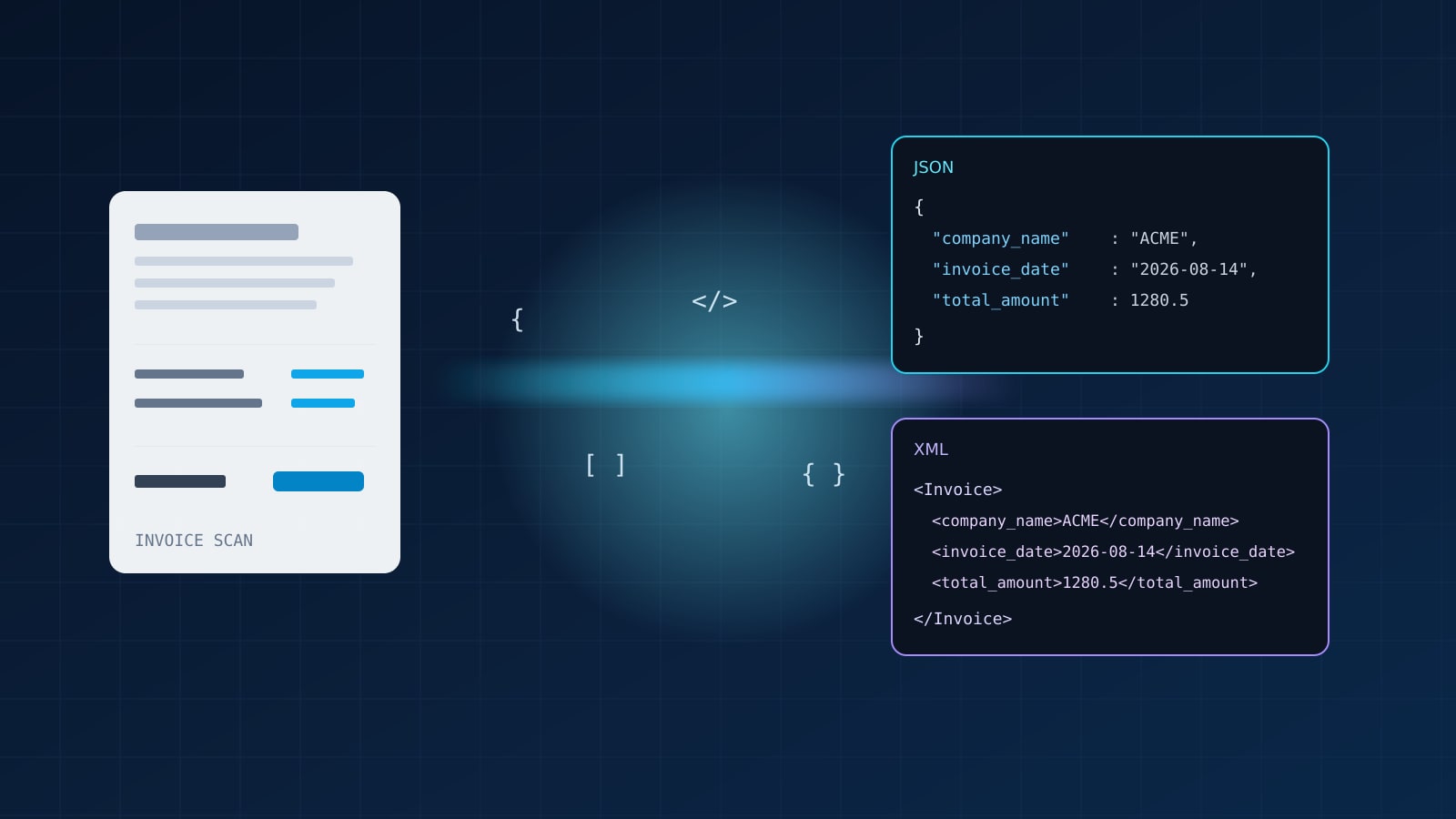
How OCR Can Output Structured JSON or XML
OCR used to mean one thing: pixels in, messy text out. If you searched for how OCR can output structured JSON or XML, you are past that stage. You want named fields (amounts, dates, IDs, titles) in a format your database, agent, or integration can consume without another brittle parser.
Short answer: modern OCR APIs can return structured JSON directly when you name the fields you need. Native XML responses are rarer. When a legacy system still expects XML, the durable pattern is JSON first, then a deterministic JSON-to-XML transform in your own code. That keeps extraction typed and predictable while still feeding SOAP endpoints, EDI adapters, or older document stores.
What “structured” means for OCR
Unstructured OCR is a Markdown or plain-text dump of whatever the model read. Useful for search, RAG chunking, or human review. Not enough when you need invoice_date as YYYY-MM-DD and total_amount as a number.
Structured OCR output is a record: keys you choose, values with consistent types. In OCRskill, that is the POST /ocr.json endpoint. You pass a comma-separated fields list; the response is typed JSON built from those names. Required fields fail loudly with 400 if missing. Optional fields (append ? to the name) are omitted when absent. Dates normalize to ISO YYYY-MM-DD. Strings are trimmed.
That is a different product from Google/schema.org “structured data” (JSON-LD for web pages). Here the structure is the extraction result, not markup you publish for crawlers.
JSON vs XML: which should OCR return?
Both formats can carry the same fields. The tradeoffs are about ecosystems, not OCR accuracy.
| Concern | JSON | XML |
|---|---|---|
| Agent and web APIs | Default for most REST and OpenAI-style tools | Still common in enterprise SOAP and some government schemas |
| Typing and tooling | First-class in JS/TS, Python, Go; easy schema validation | Strong with XSD; heavier client libraries |
| Verbosity | Compact | More tags and namespaces |
| Schema evolution | Add optional keys carefully | XSD versioning and namespaces |
| Nested documents | Objects and arrays | Elements, attributes, mixed content |
For new pipelines, prefer JSON from the OCR step. OCRskill returns JSON from /ocr.json and Markdown from /ocr. There is no separate /ocr.xml today. If your consumer only speaks XML, convert after extraction. Do not ask the vision model to invent XML tags in free text; that recreates the fragile parsing problem structured OCR was built to remove.
Path 1: Image or document to structured JSON
Get a key, name fields, upload a file:
curl https://api.ocrskill.com/get-key.json

curl "https://api.ocrskill.com/ocr.json?fields=company_name,invoice_date,total_amount,seller_name?" \
  -H "Authorization: Bearer sk-your-key-here" \
  -F "file=@invoice.pdf"
Example response shape:
{
  "company_name": "ACME Supplies SRL",
  "invoice_date": "2026-08-14",
  "total_amount": 1280.5
}
seller_name was optional and missing, so it does not appear. Supported uploads include common images (PNG, JPEG, WebP, GIF, BMP, TIFF) and documents (PDF, Word, Excel, PowerPoint, OpenDocument, RTF, CSV). Full field lists and error cases live in the Structured Data Extraction API reference.
When you are unsure which fields exist, omit fields for discovery mode: the API treats supported fields as optional and returns only what it finds. Lock the schema once you know the document type.
For a product-level walkthrough of /ocr.json, see From Pixels to Typed JSON. For plain Markdown instead of fields, use the simplified /ocr upload.
Path 2: Structured JSON to XML for legacy consumers
Once you have a stable JSON object, XML is a serialization problem, not an OCR problem. Keep the mapping explicit so tags stay consistent across vendors and layouts.
Python example with the standard library:
import json
import xml.etree.ElementTree as ET
from pathlib import Path

def json_record_to_xml(record: dict, root_tag: str = "Document") -> str:
    root = ET.Element(root_tag)
    for key, value in record.items():
        child = ET.SubElement(root, key)
        child.text = "" if value is None else str(value)
    return ET.tostring(root, encoding="unicode")

record = json.loads(Path("invoice.json").read_text())
xml_body = json_record_to_xml(record, root_tag="Invoice")
print(xml_body)
Possible output:
<Invoice>
  <company_name>ACME Supplies SRL</company_name>
  <invoice_date>2026-08-14</invoice_date>
  <total_amount>1280.5</total_amount>
</Invoice>
For production, prefer a schema-aware library (or an XSD-driven mapper) so element order, namespaces, and numeric formatting match the downstream contract. The important part is that OCR already committed to typed fields; the XML step should not re-interpret free text.
Node.js sketch with a small helper:
function jsonToXml(obj, root = "Document") {
const escape = (s) =>
String(s)
.replaceAll("&", "&")
.replaceAll("<", "<")
.replaceAll(">", ">")
.replaceAll('"', """);
const body = Object.entries(obj)
.map(([k, v]) => `<${k}>${escape(v ?? "")}</${k}>`)
.join("");
return `<?xml version="1.0" encoding="UTF-8"?><${root}>${body}</${root}>`;
}If you must emit attributes, CDATA, or deeply nested line items, define that mapping in code against the JSON you already validated. Do not prompt an LLM to “make this XML” unless you validate the result against an XSD every time.
Path 3: Markdown OCR, then structure yourself
Sometimes you need the full reading order (tables, headings, footnotes) before you know the schema. Call /ocr for Markdown, then structure in a second step with your own schema or an LLM structured-output call. That two-step flow is slower and costs more tokens, but it helps for novel layouts. Once the schema stabilizes, move those fields onto /ocr.json so extraction stays one request.
Design the schema before you scale
A few rules that keep JSON and XML consumers honest:
- Name fields after the business concept, not the visual label (
invoice_date, notdate_top_right). - Mark uncertain fields optional until your document set proves they always appear.
- Normalize in the OCR layer (ISO dates, trimmed strings) so JSON and XML both inherit the same values.
- Version the contract (
InvoicevsInvoiceV2, or aschema_versionfield) when you add required keys. - Fail closed on required data. A loud
400beats silent nulls in accounting or KYC.
Limitations to plan around
- OCRskill’s structured endpoint returns JSON, not XML. XML is your post-processing step.
- Field names must match the supported list. Unknown or duplicate names return
400. - Extraction quality still depends on image quality, language coverage, and whether the value is actually on the page.
- Nested line-item arrays and arbitrary custom schemas beyond the published fields are not a free-form JSON Schema upload on
/ocr.jsontoday. Stick to documented fields, or OCR to Markdown and structure elsewhere.
Conclusion
OCR can output structured JSON today by naming fields on a dedicated extraction endpoint. XML remains a valid delivery format for older systems, but it should sit one step after typed JSON, not inside the vision model. Start with /ocr.json for the records you need, keep Markdown /ocr for exploratory reading order, and add a small, tested JSON-to-XML mapper only where a consumer still requires tags. That split keeps search intent, agent tooling, and legacy integrations aligned without rebuilding parsers for every new layout.
Grab a free API key, extract one document to JSON, and only then decide whether anyone still needs the XML wrapper.