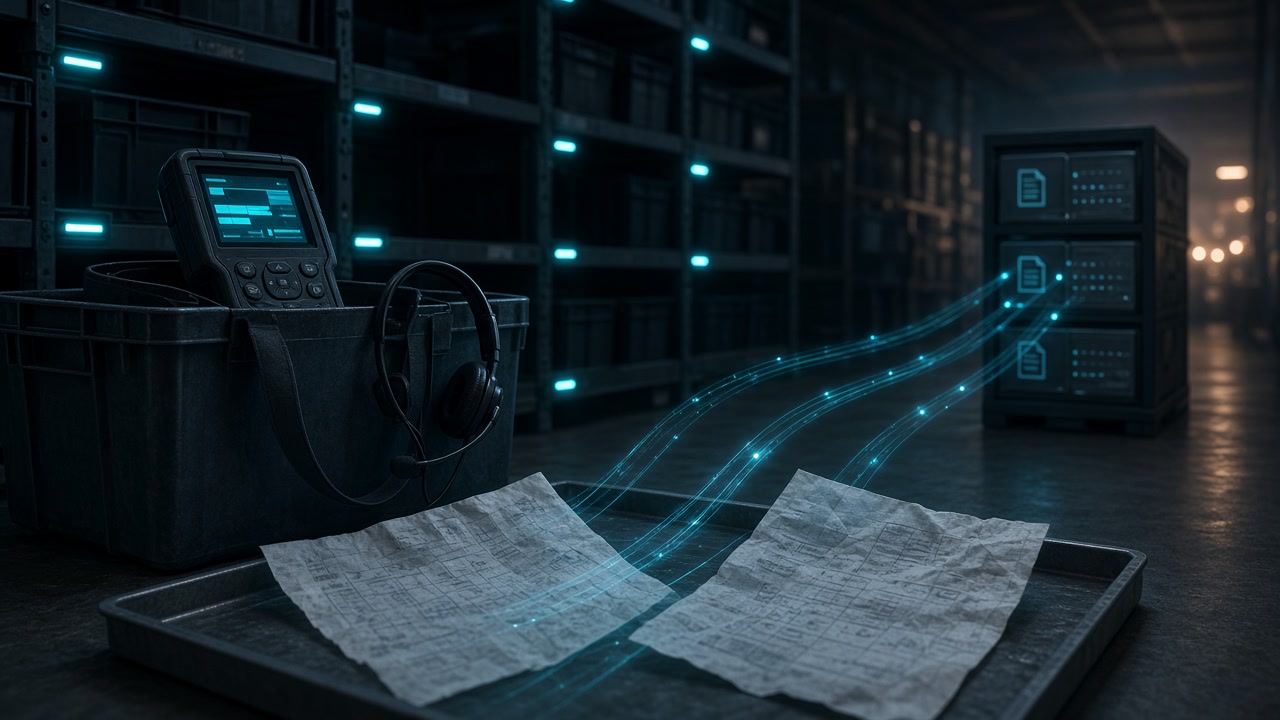
Paperless Picking Method: RF Scan, Pick-to-Light, Voice, and Exception Docs
If you searched for a paperless picking method, you are probably past “print the pick list and hope.” You need a floor process that directs pickers with RF scanning, pick-to-light, put-to-light, or voice instead of clipboard paper, and a clear plan for the packing slips, shortage notes, and exception paperwork that still show up at the dock. Short answer: choose the directed-picking technology that matches SKU density, travel distance, and WMS support; keep the WMS as system of record for picks; and route the residual paper through intake → OCR → metadata → archive so claims and customer service can find it later.
This post is about warehouse and fulfillment picking methods, not about building a full freight or AP document management program. For bills of lading, PODs, and freight invoices in a DMS, use the sibling logistics paperless document workflow. For Ubuntu Docker Compose setup of the archive stack, use the Paperless-ngx electronic archive tutorial. Official Paperless platform behavior lives in the Paperless-ngx docs.
What a paperless picking method actually replaces
A paperless picking method replaces printed pick tickets as the primary instruction channel. The warehouse management system (WMS), or a warehouse execution layer beside it, sends location, SKU, and quantity to the picker through a device or light display. The picker confirms the pick by scan, button, or voice. Inventory and order status update in the system of record without someone retyping from a marked-up sheet.
Industry overviews of warehouse picking technology typically group the main directed options as radio frequency (RF) scanning, pick-to-light, and voice, with paper remaining as the baseline or failover. Evaluations such as Körber Supply Chain’s Evaluating Warehouse Technology white paper frame the choice as a match to layout and task mix, not as a single winner for every building.
Paperless on the floor does not mean zero paper in the building. Packing slips, customer-required packing lists, carrier labels, damaged-goods forms, and temporary pick-list printouts during outages still appear. Those pages are document problems. They belong in a searchable archive next to the WMS, not inside the picking device UI.
Core paperless picking methods compared
Use this table as a practitioner map, not as a vendor scorecard. Exact rates and payback depend on your SKU profile, labor model, and integration quality.
| Method | How instructions arrive | Typical fit | Main constraint |
|---|---|---|---|
| RF / barcode scanning | Handheld or wearable terminal shows location and qty; barcode scan verifies location or SKU | Broad WMS support; changing locations; mixed case and piece picking | One hand often occupied; more look-down interaction than voice or light |
| Pick-to-light | Light and quantity display at the pick face; confirm with button or scan | Dense, high-velocity zones; zone pick-and-pass; stable SKU locations | Hardware per location; mostly limited to order selection, not receiving or cycle count |
| Put-to-light | After batch pick, lights show which order cubby or tote receives each item | Multi-order consolidation; put walls; sort after batch retrieve | Needs a consolidation area; complements pick-to-light rather than replacing travel |
| Voice picking | Headset speaks location and qty; picker confirms by speech (often with optional scan) | Longer travel paths; full-case or mixed work; hands-free need | Noise and training; speech engine and process design matter |
| Paper pick list (baseline) | Printed sequence of locations and quantities | Low volume; failover when systems are down | Slow confirmation; easy to skip lines; no live verification |
Educational product explainers (for example Modula’s pick-to-light overview) draw the same pick-to-light vs put-to-light split: lights either guide you to the product or to the order destination. Keep that distinction in training materials so supervisors do not treat “light directed” as one undifferentiated product.
RF scanning
RF scanning is the default paperless picking method in many warehouses because most WMS products already speak it. The terminal receives the next task, the picker walks the directed path, and a barcode scan confirms location or item before the system releases the next line. Work can be assigned by priority and proximity instead of a supervisor handing out paper stacks.
Choose RF when locations change often, when you need one tool for picking plus receiving, put-away, and cycle count, or when capital budget for per-location lights is limited. Expect training around scan discipline: wrong-location confirms and skipped scans recreate the same errors paper used to hide.
Pick-to-light and put-to-light
Pick-to-light installs indicators at pick faces. When an order or tote is activated in a zone, the relevant locations illuminate with a quantity. The picker confirms and the light clears. Throughput can be high in compact, high-demand zones because search time collapses. The tradeoff is hardware density and layout rigidity: every new face often needs a module, and light systems rarely extend cleanly to receiving or counting the way RF or voice can.
Put-to-light sits later in the flow. A picker (or upstream batch process) retrieves product; at a put wall or cart, lights show which order slot gets each unit. Pair put-to-light with batch picking when multi-order consolidation is the bottleneck, not when single-order travel through the aisle is.
Voice picking
Voice-directed picking keeps eyes on the aisle and both hands free. The system speaks aisle, bay, quantity, and check digits; the picker replies to confirm. Many deployments add a wearable scanner for catch-weight or high-risk SKUs. Voice often fits buildings with longer travel between picks, or teams that already struggle with handheld look-down fatigue.
Voice is still a WMS-integrated process. It is not “AI picking” by itself. Speech recognition quality, noise, and clear confirmation vocabularies decide whether the method feels faster than RF or just different.
How to choose a paperless picking method
Do not buy lights because a peer DC bought lights. Walk the building with a short decision list:
- SKU mobility. If locations churn weekly, RF or voice usually ages better than fixed light modules.
- Pick density. Compact, high-line-rate zones favor pick-to-light; long travel favors voice or RF with path optimization.
- Task breadth. If the same labor pool must receive, put away, pick, and count, prefer RF or voice over pick-to-light alone.
- WMS readiness. Confirm which methods your WMS supports natively before quoting middleware.
- Failover. Decide how orders move when Wi-Fi, light controllers, or voice gateways fail. Paper or RF fallback is common; document who may print lists and how those lists are retired.
- Training and seasonality. Light and RF are often quick to teach for temps; voice needs disciplined speech training but can keep hands free under peak.
Comparative research on paperless picking systems (including academic comparisons of handheld, voice, and light-directed approaches) repeatedly finds that suitability depends on layout and order profile. Treat published accuracy or lines-per-hour figures as context for that study’s site, not as a guarantee for yours.
Hybrid floors are normal. A forward-pick zone on lights, reserve on RF, and a put wall for e-commerce consolidation can share one WMS if ownership of each zone is clear.
Paper that remains after you go paperless on the floor
Going paperless on picks does not erase every sheet. Plan for these families explicitly:
- Failover pick lists printed during outages or for oddball work the WMS cannot direct yet
- Packing slips and packing lists customers or 3PL contracts still require in the carton or as PDF
- Shortage, damage, and exception forms filled when the directed method cannot complete the line
- Vendor packing documents that arrive with inbound freight and get photocopied onto the dock
- Audit or customer claim packets assembled from signed exception pages after ship
Those pages create the same failure mode as any other warehouse document project: a “Scans” folder with no type, date, or correspondent. Full-text search helps, but customer service still needs to filter by order id, carrier, or ship date. High-level intelligent document processing patterns still apply: capture, classify, extract, validate, then hand structured data onward. Your job is to apply that pattern only to the residual paperwork, while the WMS owns live picks.
Archive the exception paperwork: intake, OCR, metadata
Treat residual picking and packing documents as a narrow archive pilot, not as a second WMS.
- Intake. Dock multifunction printers and a controlled consume folder beat phone photos of crumpled shortage forms. Email PDF packing slips can drop into the same path with a consistent filename when possible.
- OCR. Use the DMS OCR text layer so every archived page is searchable. Optional agentic classification fills document type, issue date, and correspondent so clerks do not type every label.
- Metadata. Start with type names people already use:
PackingList,ShortageForm,DamageException,FailoverPickList. Tags carryorder:…,wave:…,site:dc-west,carrier:…. - Searchable archive. Prefer a year / type / month path such as
2026/PackingList/09-September/Customer-Name-scan0042-123.pdf, the same layout described in the Paperless + OCRskill walkthrough.
Keep unreadable dock photos on a review flag. Do not auto-file them into the trusted tree. Spot-check early batches before you widen intake.
For packing lists or exception forms that need named fields for another system, OCRskill’s POST /ocr.json endpoint accepts a fields parameter so you can request values such as company_name and invoice_date (or your approved field set) when typed JSON is required. Details live in the structured OCR JSON API post. Markdown-oriented OCR via POST /ocr remains available when you want readable text rather than a fixed schema. Classify and archive first; add structured fields only when a downstream owner is ready to validate them.
Where the WMS, Paperless-ngx, and OCRskill fit
WMS / directed-picking stack owns live inventory, pick confirmation, and labor direction. RF, light, and voice are execution interfaces to that system. Do not try to reconstruct pick history from scanned paper if the WMS already holds it.
Paperless-ngx is the document management system for residual paperwork: consume folder, OCR text layer, tags, document types, correspondents, and browser search. Setup belongs in the Ubuntu archive tutorial or the Synology Container Manager guide, not in the picking RFP.
OCRskill supplies agentic OCR over a Paperless workflow so classification and key metadata can be filled without typing every label, and supplies structured JSON via /ocr.json when forms need named fields. It does not replace your WMS, pick-to-light controllers, or voice gateway. It does not invent pick accuracy benchmarks or warehouse ROI.
Together they support a clean split: paperless picking method on the floor, paperless document archive for the sheets that still matter after the wave closes. Freight BOLs, PODs, and carrier invoices remain in the broader logistics paperless document workflow if those families share the same DMS.
Rollout plan that respects both floors and files
- Map current pick instruction media (paper percent, RF percent, exceptions) for one zone or one wave type.
- Select one directed method that your WMS already supports, or a bounded hybrid (for example lights in forward pick only).
- Define failover rules: who may print pick lists, how long they stay valid, and where finished or voided lists go.
- Stand up archive intake for packing slips and exception forms only; ignore historical boxes until live retrieval works.
- Enable OCR classification for those types; sample-check review flags from dock photos.
- Add structured fields only if customer service or claims needs typed JSON after validation.
- Expand zones or document types after pick KPIs and archive retrieval both look stable under peak.
Measure picking success with WMS metrics (lines, errors, travel). Measure archive success with retrieval time for packing and exception packets. Do not use pages scanned per day as the only score.
Conclusion
A durable paperless picking method is a directed-execution choice (RF scanning, pick-to-light, put-to-light, voice, or a hybrid) wired to your WMS, plus an honest plan for failover lists and packing or exception paperwork. Match technology to SKU density and travel, keep live confirmations in the WMS, and send residual sheets through a controlled OCR archive so customer service is not hunting unmarked PDFs after ship.
When you are ready to stand up the document side, follow the Paperless-ngx Docker archive tutorial or the Synology deployment guide, then layer OCRskill classification where labeling is the bottleneck. For freight-heavy document families beyond packing exceptions, use the logistics paperless document workflow. For product entry points on agentic OCR and structured extraction, start at ocrskill.com.