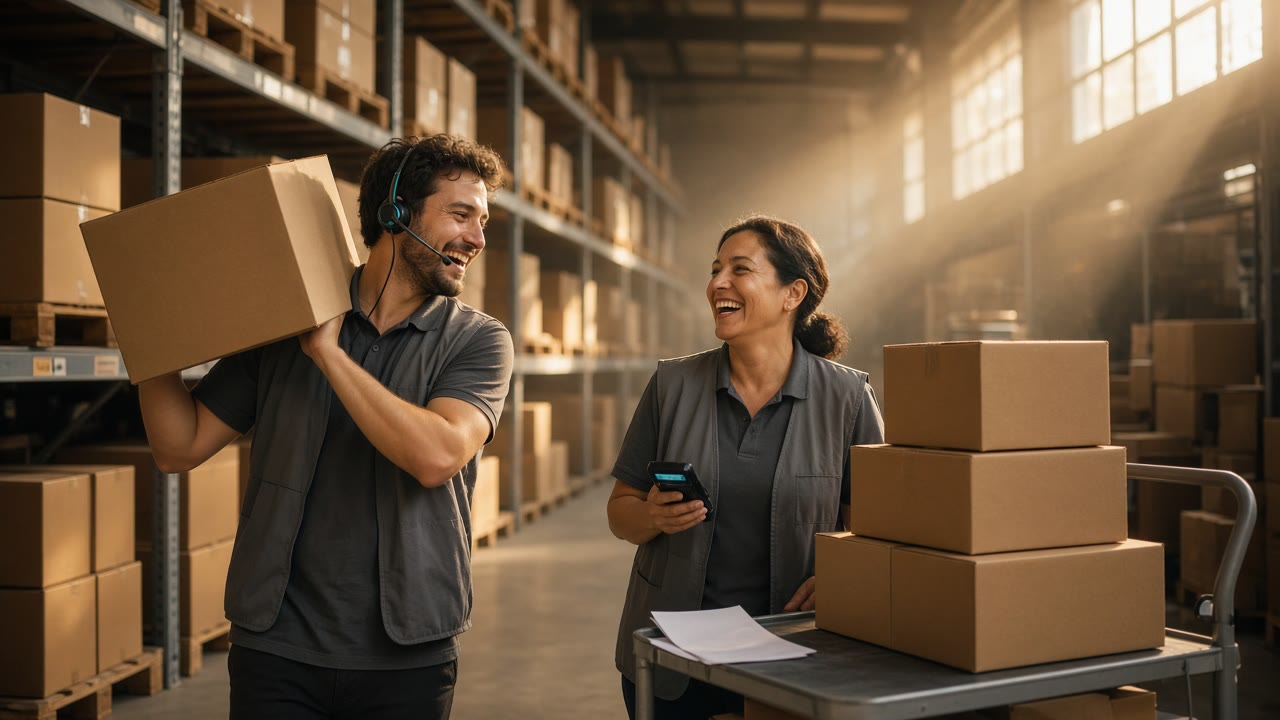
Voice Picking vs RF Scanning: How to Choose for Each Pick Zone
Voice picking vs RF scanning comes down to how the picker gets the next task and how the system knows the pick was right. With voice, a headset reads out the location and quantity, and the picker confirms by speaking a check digit printed at the slot. With RF, a handheld or wearable terminal shows the task on a screen, and the picker confirms by scanning a location or product barcode. Voice usually earns its place in travel-heavy case picking where both hands are busy. RF usually wins where the pick also has to capture data from the product, such as lot, expiry, or serial numbers, and where the same people receive, put away, and count. Plenty of buildings end up running both, zone by zone.
This post is the head-to-head. If you are still deciding between directed methods in general, including pick-to-light and put walls, start with the broader paperless picking method guide and come back here once voice and RF are the two finalists.
The real difference is how each method verifies a pick
Most comparisons start with hands-free versus screen. The more useful starting point is verification, because that is where errors get caught or slip through.
Voice verification is mostly location-based. The picker arrives at the slot and reads a short number from a label on the rack. Voxware describes the flow plainly in its explanation of check digits: the worker hears the aisle and slot, voices the check digit, and a wrong digit is challenged. If it stays wrong, the assignment can be suspended and a supervisor notified. Because people memorize digits they see every day, sites often print several sets at each location and rotate which set the system asks for.
That design has a known weak spot. MWPVL’s order picking technology review notes that the most common voice errors are quantity mispicks on large lines, plus pickers reading a check digit from a distance and then pulling from the neighboring slot. Some sites mount check digit labels on the inside of the rack upright so they cannot be read on approach.
RF verification can be location-based, product-based, or both. Scanning the slot barcode proves the picker is in the right place. Scanning the item proves the right product is in hand, which a location check digit cannot do if someone replenished the wrong SKU into the slot. Some voice setups close part of that gap by asking the picker to read the last few digits of the carton or product barcode instead, as in the food service deployment described further down. The same MWPVL review lists the classic RF failure: the picker scans the first unit correctly, then grabs the remaining quantity carelessly or miscounts, and damaged or missing barcodes slow everyone down.
So the honest framing is this. Voice mainly checks that you are standing at the right slot and keeps your hands free. RF checks the product itself by default, at the cost of a scan action and a look at a screen.
Side-by-side comparison
| Factor | Voice picking | RF scanning |
|---|---|---|
| Instruction channel | Spoken prompts through a headset | Text on a handheld, wrist, or vehicle-mounted screen |
| Pick confirmation | Spoken check digit at the location (or last digits of the product barcode), spoken quantity | Barcode scan of location, item, or both; quantity keyed or scanned |
| Hands and eyes | Both hands free, eyes on the aisle | One hand often on the device unless you use ring or wearable scanners |
| Data capture from product | Weak for long strings; works for short values such as a weight or a few digits | Strong when the data is in a barcode (GTIN, lot, expiry, serial) |
| Task breadth | Strong in picking and replenishment; other tasks need their own dialogs | Covers receiving, put-away, picking, counting, and shipping in one device |
| Training | Voice template training and strict vocabulary; harder for some temps | Familiar screen workflows; quick for seasonal staff |
| Environment | Noise, accents, and freezer gear affect recognition | Glare, cold, and label quality affect scanning |
| Typical fit | Full-case grocery and food service, long travel, heavy lifting | Mixed SKUs, frequent location changes, traceable products |
Treat the table as a practitioner map. Your SKU profile, WMS dialogs, and how strictly supervisors enforce scanning matter more than any column.
What the research actually says
Head-to-head evidence exists, but it is thinner than vendor brochures suggest.
The most careful study is a controlled field experiment by de Vries, de Koster and Stam published in the International Journal of Production Research. With 101 participants picking in a realistic setup, pick by voice produced more order lines than RF-terminal picking (an estimated mean of about 45 versus 40). Voice also produced fewer orders with errors (4.4% versus 5.6%), but that error difference was not statistically significant. The same paper found that personality traits and age influenced performance differently for each tool, which is a useful reminder that the picker matters as much as the device.
A case study at a Colombian logistics operator, published in Inventum, compared its existing RF process with a voice pilot on case picking. The rate rose from 62 to 69 cases per hour, and picking errors fell from 28 to 10 over the comparison window (0.11% to 0.04%).
MWPVL’s field ranges point the same way: roughly 99.3% to 99.5% accuracy for RF picking and 99.7% to 99.97% for voice, measured as gross errors per units picked. Those are consultant observations across sites, not a controlled trial.
Read all three for direction, not for a promise. They describe case and piece picking in specific buildings. None of them tells you what happens in your freezer aisle with your WMS dialogs and your staff turnover.
Where voice picking wins
Voice tends to justify itself under these conditions:
- Full-case picking with real travel. Grocery and food service selectors walk or ride long paths and handle heavy cases. Freeing both hands and keeping eyes forward pays off on every line.
- Stable, repetitive dialogs. The longer a picker stays in one task type, the more fluent the voice rhythm becomes.
- Location accuracy is the main risk. If your errors come from wrong slots rather than wrong products in the right slot, check digits address the actual problem.
- Equipment-heavy work. On pallet jacks or in cold storage with gloves, handling a screen is clumsy.
Voice can capture some data too. One food service deployment documented by RF Barcode Systems lets pickers confirm items by speaking the last three digits of the GTIN or EAN barcode, speak the expiry date on selected products for batch tracking, and speak the weight of random-weight items for invoicing. That works for short values. It gets slow and error-prone when the value is a 20-character serial number.
Where RF scanning wins
RF is the better default when:
- The pick has to record what was picked, not only where. Lot and expiry for food or pharma, serial numbers for electronics, and catch-weight data encoded in barcodes all favor scanning. GS1 defines Application Identifiers for these values, such as (10) for batch or lot, (17) for expiration date and (21) for serial number, so a single GS1-128 or DataMatrix scan can carry them into the WMS without anyone reading digits aloud.
- The product is the risk. Mis-slotted inventory, look-alike SKUs, and units of measure that are easy to confuse (inner pack versus each) are caught by an item scan, not by a location check digit.
- One device covers the whole shift. If the same associate receives in the morning and picks in the afternoon, a single RF device and familiar screen flows reduce training.
- Seasonal labor is heavy. Temporary staff can usually follow screen prompts on day one. Voice needs enrollment or template training and tighter vocabulary discipline.
- Locations change often. Reslotting means relabeling. Barcode location labels and check digit labels both need upkeep, but RF already has the scanning habit built in.
Multimodal: voice with a scanner
The choice is often not binary. Many voice deployments add scanning for the steps where a scan is clearly better, and many RF floors use ring scanners to free a hand.
Honeywell’s Vocollect A730 is a good example of how vendors scope this. It combines voice with an integrated short-range imager, but the A730 scanning guide states that the scanner is for occasional use at points where the task allows it, such as a check digit or product verification prompt, and should not be used more than six times per hour. For frequent scans, Honeywell points to other devices better suited to hands-free scanning.
That limit is a useful design rule. If a zone needs a scan on most lines, you are describing an RF zone or a voice zone with a dedicated wearable scanner, not voice with an occasional scan.
Profile your pick lines before choosing
Arguments about voice versus RF get easier once you look at your own order lines. Export a few weeks of pick history from the WMS and compute a handful of numbers per zone. The script below assumes a CSV with columns zone, units, travel_m (distance since the previous pick, if your WMS records it) and needs_capture (1 when the line required lot, expiry, or serial capture). Adjust the column names to your export.
import csv
from collections import defaultdict

stats = defaultdict(lambda: {"lines": 0, "units": 0, "travel": 0.0, "capture": 0})

with open("pick_lines.csv", newline="") as f:
    for row in csv.DictReader(f):
        z = stats[row["zone"]]
        z["lines"] += 1
        z["units"] += int(row["units"])
        z["travel"] += float(row["travel_m"] or 0)
        z["capture"] += int(row["needs_capture"])

print(f"{'zone':<10}{'lines':>8}{'units/line':>12}{'m/line':>9}{'capture%':>10}  lean")
for zone, z in sorted(stats.items()):
    upl = z["units"] / z["lines"]
    mpl = z["travel"] / z["lines"]
    cap = 100 * z["capture"] / z["lines"]
    if cap >= 30:
        lean = "RF"
    elif mpl >= 15 and cap < 10:
        lean = "voice"
    else:
        lean = "pilot both"
    print(f"{zone:<10}{z['lines']:>8}{upl:>12.1f}{mpl:>9.1f}{cap:>10.0f}  {lean}")
The thresholds are placeholders, not industry standards. Their job is to force a conversation per zone: a reserve zone with long walks and almost no capture leans voice, a pharma zone where every line needs a lot number leans RF, and everything in between deserves a pilot. Add columns you care about, such as average case weight or the share of lines with a unit-of-measure change.
Run a fair pilot
A pilot only answers the question if both methods are measured the same way.
- Pick one zone and one order profile. Comparing voice on full cases against RF on each-picking tells you nothing.
- Use the same people where you can. The de Vries study shows individual differences are large. Rotate pickers between methods instead of assigning your best selectors to the new tool.
- Allow a learning curve. Measure after pickers are past the first days on voice, and report the ramp separately.
- Count errors the same way. Use customer-reported and audit-detected errors per lines or units, with the same audit sample rate for both methods.
- Log the exceptions. Short picks, damaged labels, recognition failures, and unreadable barcodes each have a cost. Track them as categories, not as a single “issues” count.
- Price the full system. Devices, headsets, scanners, WMS dialog work, label changes for check digits, and spares all belong in the comparison.
Where paper and OCR still show up
Neither method removes every piece of paper or every unreadable label. Supplier cartons arrive with lot and expiry printed only as text. Labels get torn or smudged. Exception paperwork, packing slips, and damage reports keep appearing at the dock.
For text-only labels, some mobile computers can read printed text through the camera. Zebra’s DataWedge, for example, documents Free-Form OCR and Picklist + OCR as workflow inputs, with license requirements on some device tiers. That keeps the capture inside the RF flow rather than sending someone to a desk to type. For the paperwork that piles up around picking, route it into an archive with OCR and metadata, as described in the logistics paperless document workflow. For label-level extraction from photos and scans, the shipping label OCR guide covers what can be read reliably and what needs a human check.
Limitations to keep in mind
- Published numbers are site-specific. Productivity and accuracy gains from studies and vendor sheets come from particular layouts, products, and labor pools.
- Integration quality decides a lot. A clumsy voice dialog or an RF screen that needs three taps per line can erase any theoretical advantage. Ask which dialogs your WMS supports natively.
- Check digits need maintenance. Rotating sets, replacing worn labels, and relabeling after reslotting are ongoing work.
- Scan discipline erodes. Pickers who scan once and grab the rest, or who scan a barcode taped to a clipboard, recreate paper-era errors. Audits have to catch this.
- Noise and language matter for voice. Test recognition in your loudest zone and with the languages your team actually speaks.
Conclusion
Voice picking vs RF scanning is a per-zone decision driven by what the pick has to prove. If location accuracy, travel, and hands-free handling dominate, voice with rotating check digits is hard to beat. If the line must record lot, expiry, or serial data, or the risk is the wrong product in the right slot, RF scanning carries that information in the barcode and verifies the item itself. The research leans toward voice on speed and slightly toward it on errors, but the strongest controlled study could not show a significant error difference, which is a good reason to pilot on your own floor before signing for a building-wide rollout.
A practical pattern for many mixed warehouses is voice in high-travel case zones, RF in traceable or each-pick zones, and wearable scanners wherever a voice zone needs frequent scans. Whatever mix you choose, keep the WMS as the system of record and give the leftover paper a controlled path into a searchable archive. When you get to that document side, ocrskill.com can handle the OCR and structured extraction.